
Accessing the order page
There are three ways to open it:- From the confirmation page — after payment completes, the confirmation screen links to Track order.
- From email — the confirmation email includes a tracking link. These links carry an access key, so they work even on a device where you are not logged in.
- From the dashboard — open Orders and click any order, or use the search palette (Ctrl+K) to jump straight to it.
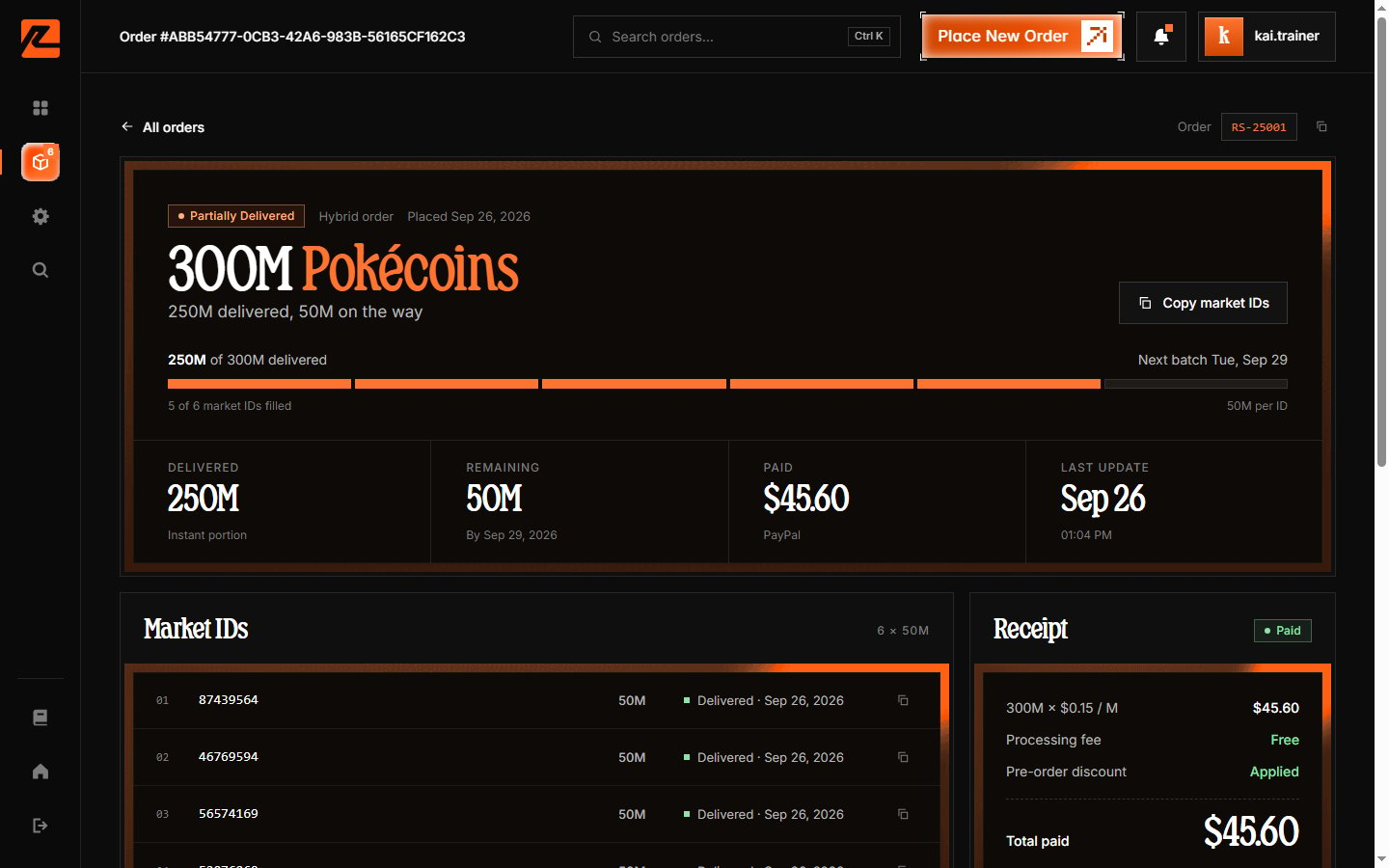
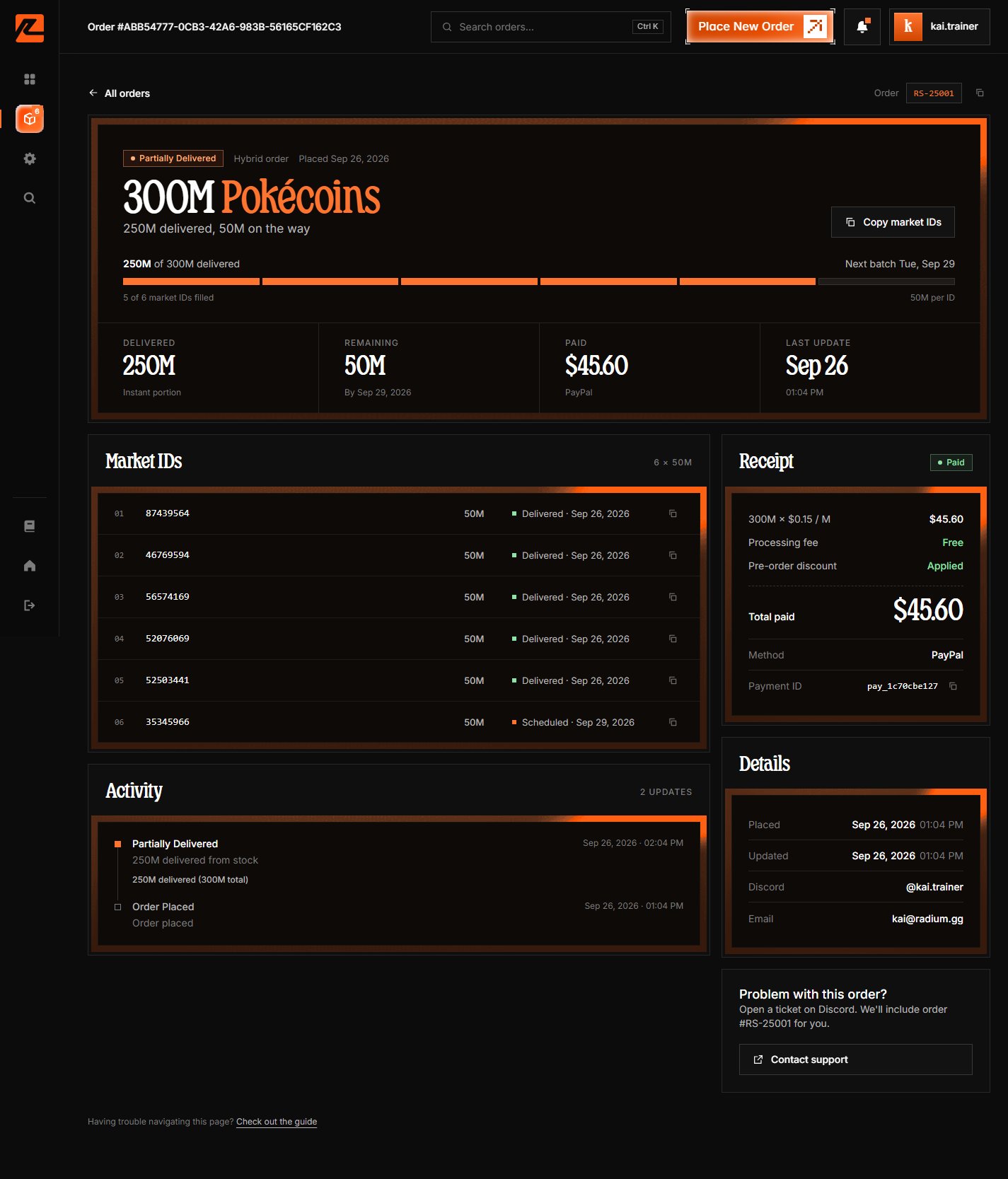
Page layout
Order header
The hero at the top shows:- Status pill — the current state (Processing, Partially delivered, Delivered, Awaiting payment, etc.)
- Type tag — Instant, Pre-order, or Hybrid
- Placed date and a headline like “300M Pokécoins” with a delivery summary
- Complete Payment button if the order is still unpaid — it takes you back to the payment step
- Copy market IDs button once the order is paid
Progress
For orders being delivered, a progress bar shows “XM of YM delivered”, plus “n of m market IDs filled · 50M per ID” and, for scheduled orders, the next batch date.Stat cards
- Delivered — how much has been sent so far
- Remaining — how much is still queued, with the final scheduled date
- Paid / Amount due — the payment total and method
- Expires in / Last update — time left to pay (unpaid orders) or when the order last changed
Market IDs
One row per market ID in the order: the ID (with a copy button), its amount, whether it is the Instant, Pre-order, or Split side of the order, and its own status — e.g. “Delivered · Sep 26” or “Scheduled · Sep 29”.Activity timeline
Every status change with a timestamp — order placed, each delivery batch (“50M delivered (300M total)”), delays, and completion. This is the same timeline described in Tracking statuses.Receipt
A receipt-style card: Pokécoins × price per million, pack discount, Processing fee: Free, total paid or due, payment method, and the payment ID with a copy button.Details and help
- Details — placed/updated timestamps, your Discord handle, and your email.
- Help — “Problem with this order?” links to our Discord server; support can look the order up by its number.
Real-time updates
The page refreshes its data automatically about every 5 seconds — status, progress, and the timeline update in place until the order reaches a final state. No reload needed.Learn about the different statuses in Tracking statuses.