
Before you begin
Make sure you have:- A Radium Store account (sign in with Discord)
- Poketwo market listings for the amount you want to buy (one market ID per 50M Pokécoins)
- A valid payment method
Order process overview
Checkout has five steps:- Amount — pick how many Pokécoins to buy
- Market IDs — tell us where to deliver
- Method — choose how to pay
- Payment — complete the payment
- Done — confirmation and live tracking
Steps 1–3 have a USD/INR currency toggle in the header — switch any time before paying and all prices update.
Step 1: Pick your amount
Open checkout via Place New Order on your dashboard, Buy Now on radiumstore.org, or the + button on mobile.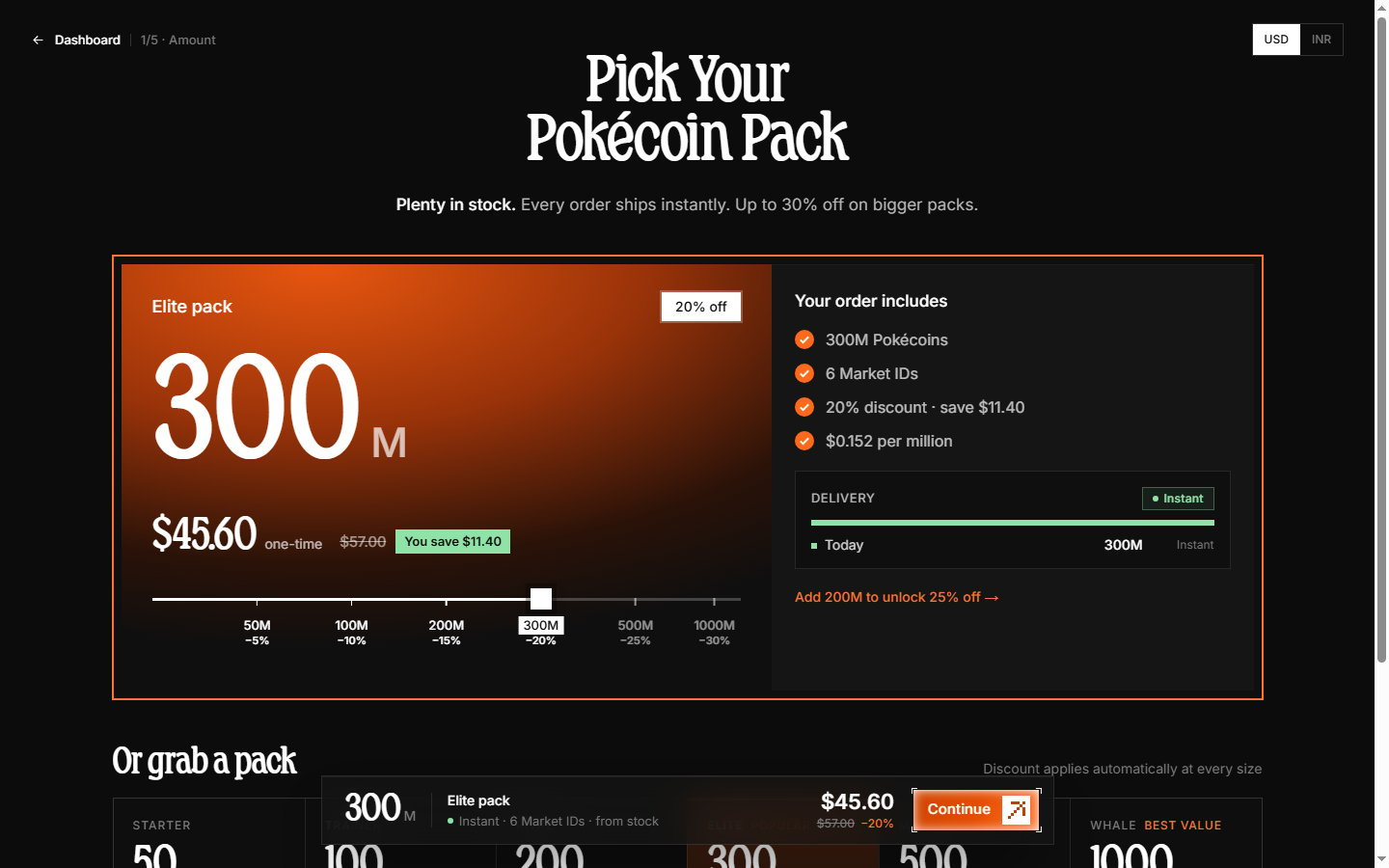
- Type it in the amount field (whole millions, up to 10,000M)
- Drag the slider — it snaps to the pack sizes
- Pick a pack card — preset amounts with a built-in discount
Pricing and pack discounts
The price updates live as you change the amount. Bigger packs get a bigger discount — the pack cards show each discount percentage and the right panel shows your Pack discount and Total.Stock and delivery estimate
The banner at the top shows current stock:- “Plenty in stock” — the whole order ships instantly.
- “XM in stock ships instantly. Anything above that is a pre-order…” — amounts above stock become a pre-order delivered from our daily capacity.
- “Out of stock right now” — every order is a pre-order.
Step 2: Add your market IDs
Pokécoins are delivered through the Poketwo market — we buy your listings. Each market ID holds 50M Pokécoins, so a 100M order needs two IDs.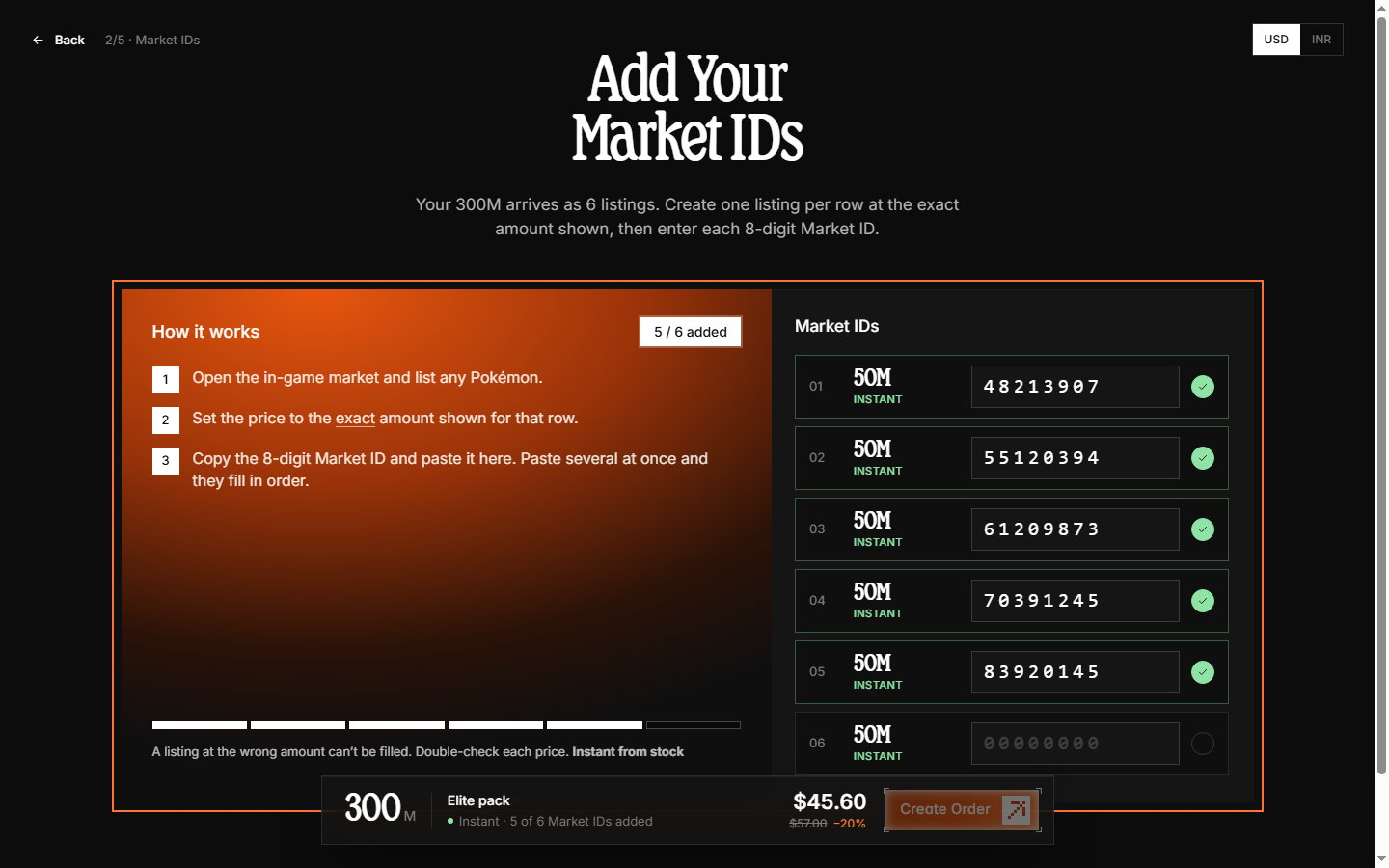
Creating a market listing and finding its ID
In Discord:- Open a server where Poketwo is active, or its DMs.
- List a Pokémon for sale at the price that covers your share:
@Poketwo m a <pokémon ID> <price>. For example,@poketwo m a 4543 50000000. - Confirm the listing when Poketwo asks.
- Poketwo replies with your market listing — the market ID is the 8-digit code it shows.
- Copy the market ID.

Entering your market IDs
- Each input is 8 digits — paste or type one ID per row.
- Pasting several IDs at once fills multiple rows automatically.
- Rows are tagged Instant, Pre-order, or Split so you can see which listings fill instantly and which are scheduled.
Step 3: Choose how to pay
Your order is now created and reserved. Pick a payment method — each card shows the exact total it will charge.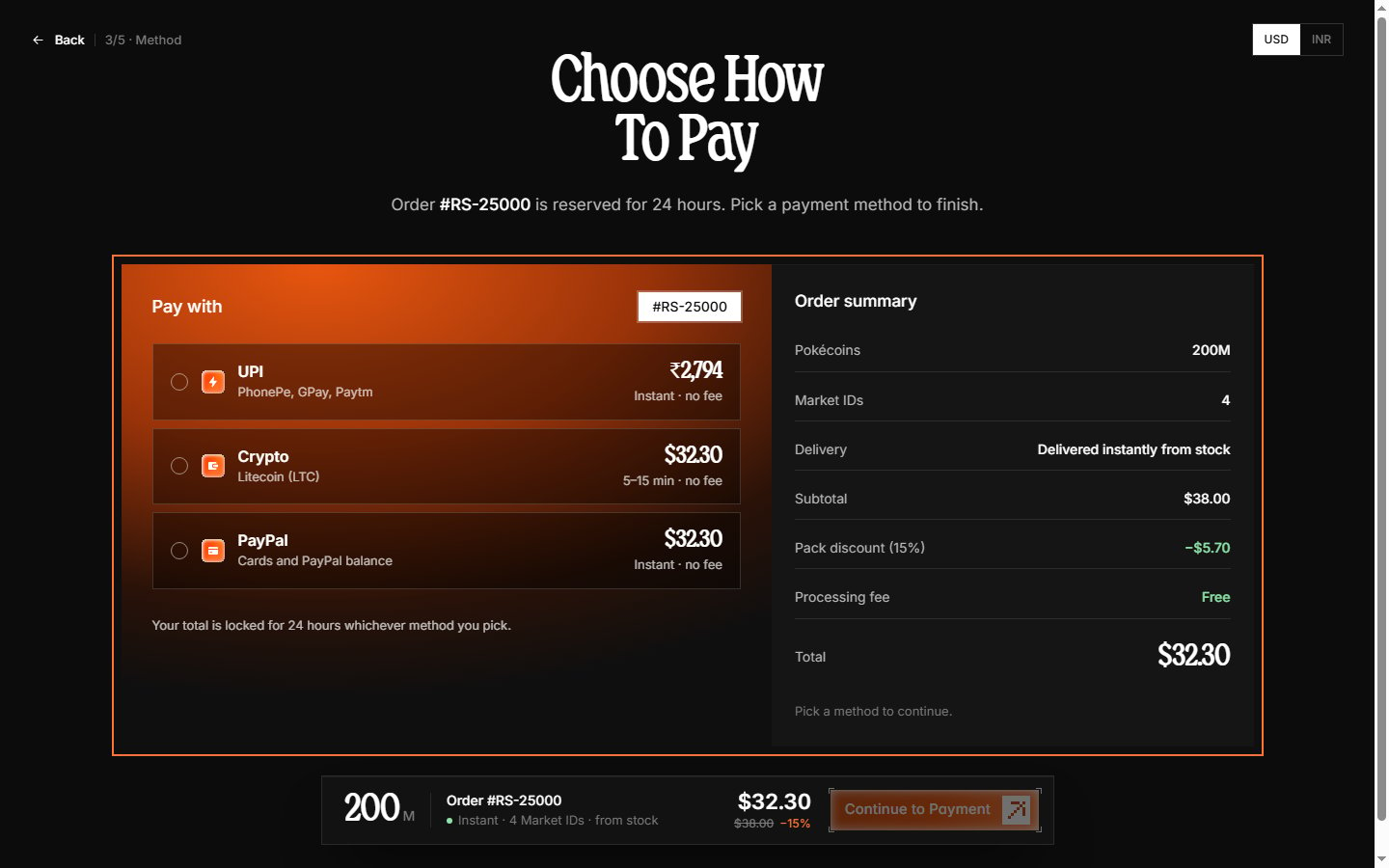
Step 4: Complete payment
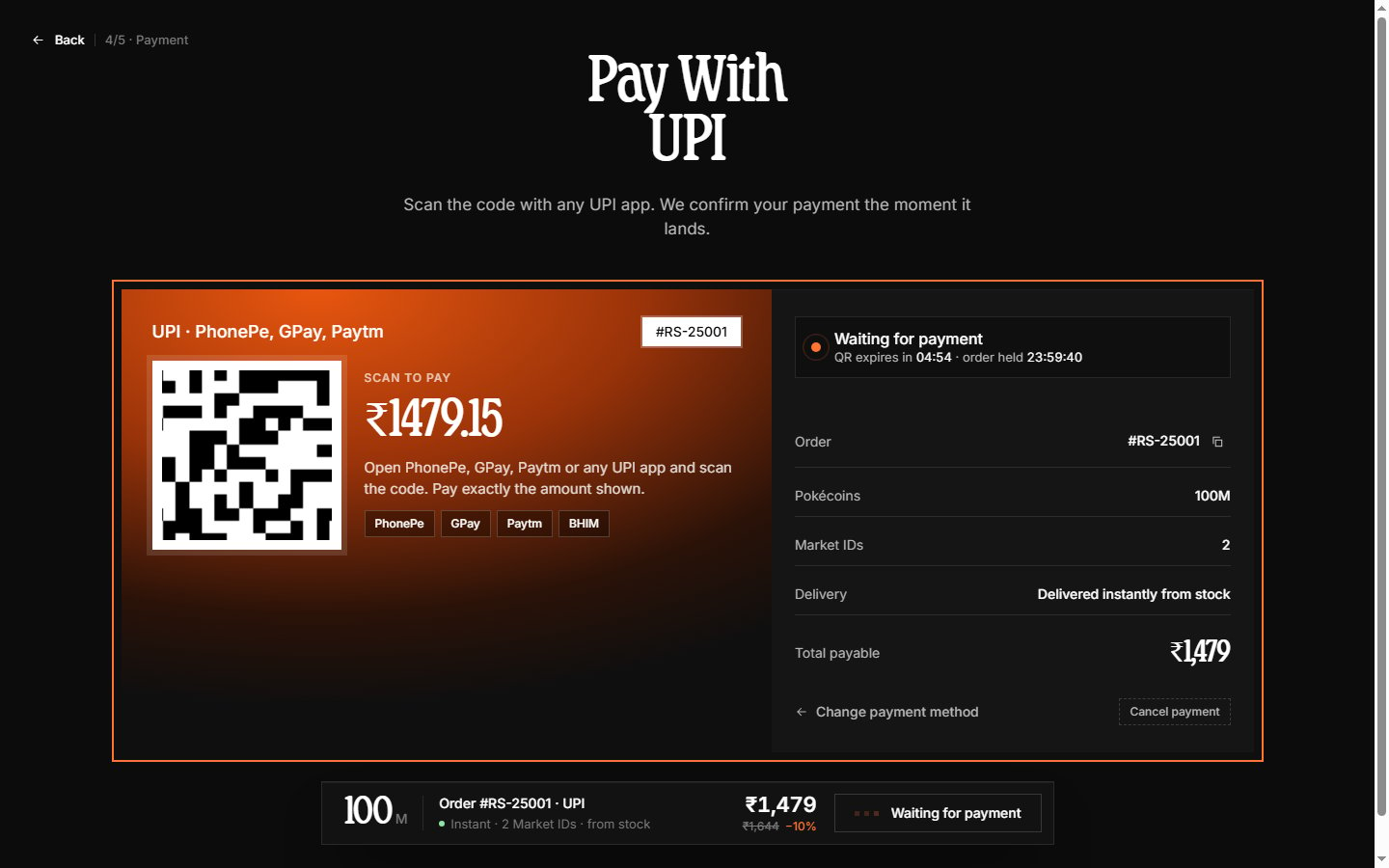
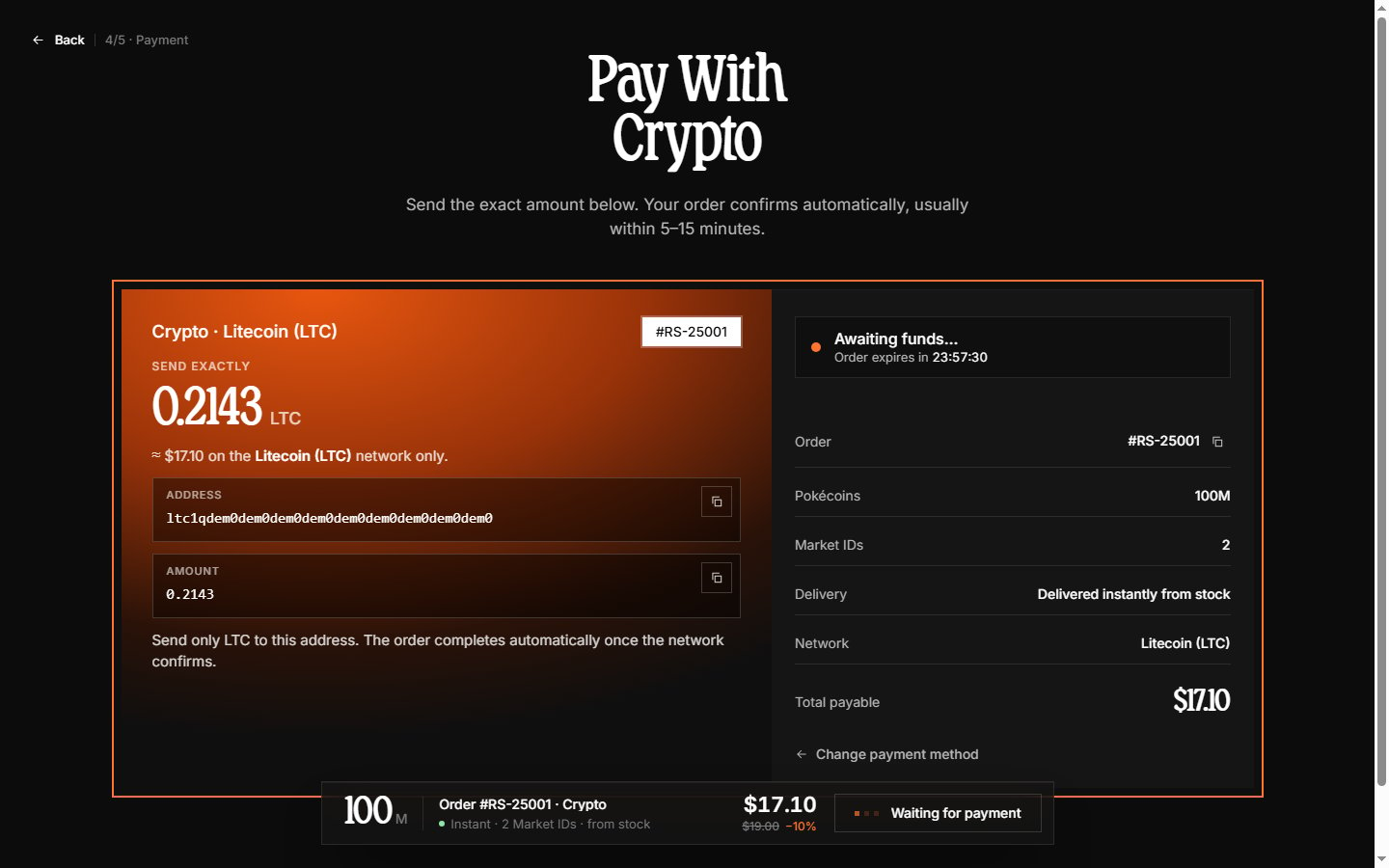
The payment page shows instructions for your chosen method and polls your order every few seconds — leave it open until it confirms. An expiry timer shows how long the order is still held.UPI
Crypto (Litecoin)
PayPal
An embedded PayPal button opens PayPal’s checkout in a popup window — you never leave our page for the redirect itself. Approve the payment there (PayPal balance, or a card without logging in via “Pay with Debit or Credit Card”) and the popup closes; your order page updates to paid within seconds.Step 5: Confirmation
Once payment lands, the final screen shows Order Confirmed (or Pre-Order Confirmed for scheduled orders) with everything in one place:- Amount paid and payment method
- Delivery split — which market IDs ship instantly and which are scheduled
- A live tracking timeline that updates in place
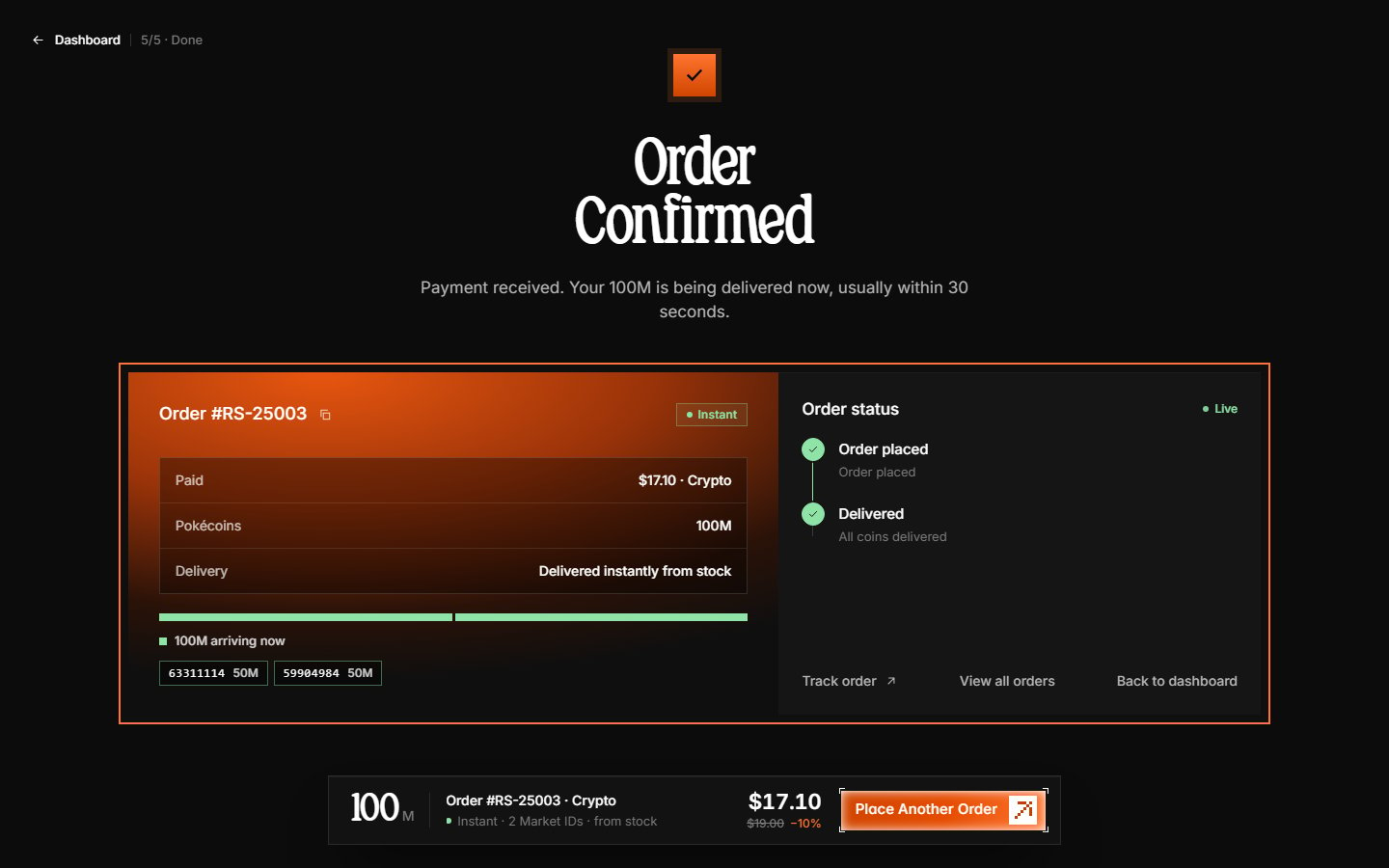
Your order is complete. Instant orders usually deliver within seconds — check your Poketwo DMs for the market purchase. Pre-orders deliver by the dates shown on the order page.
After placing your order
- Track delivery live on the order details page — it updates every ~5 seconds without a refresh.
- You also get an email confirmation and a dashboard notification when delivery finishes.
- If something goes wrong, contact support on our Discord server with your order number.
Troubleshooting
Payment completed but order shows pending
Payment completed but order shows pending
Some methods take a moment to confirm. Wait a few minutes — the order page polls for updates automatically. If it has not updated within 30 minutes, contact support with your order number and payment proof.
Order says delivered but no Pokécoins received
Order says delivered but no Pokécoins received
Occasionally a Poketwo outage delays the visible handover even when the order shows delivered. Your order and coins are safe — contact support with the order number and we will sort it out.
Payment page expired or closed accidentally
Payment page expired or closed accidentally
Open your dashboard — unpaid orders appear in Incomplete orders on the Overview with a Resume button, and in the Orders list as Awaiting payment. Orders are held for 24 hours; after that they expire and you can start a new one.
Learn how to track your order in View your order.