
Requirements
To pay with UPI, you need:- A bank account linked to UPI
- A UPI app installed on your phone (Google Pay, PhonePe, Paytm, BHIM, or any other UPI-enabled app)
Supported UPI apps
Any UPI-enabled app works with Radium Store, including:- Google Pay
- PhonePe
- Paytm
- BHIM
- Amazon Pay
- WhatsApp Pay
- Bank-specific UPI apps
How to pay with UPI
1
Select UPI at checkout
On the payment method step, choose UPI. The card shows the INR total, converted at the current rate.
2
View payment details
The payment page displays a QR code and the exact INR amount to pay.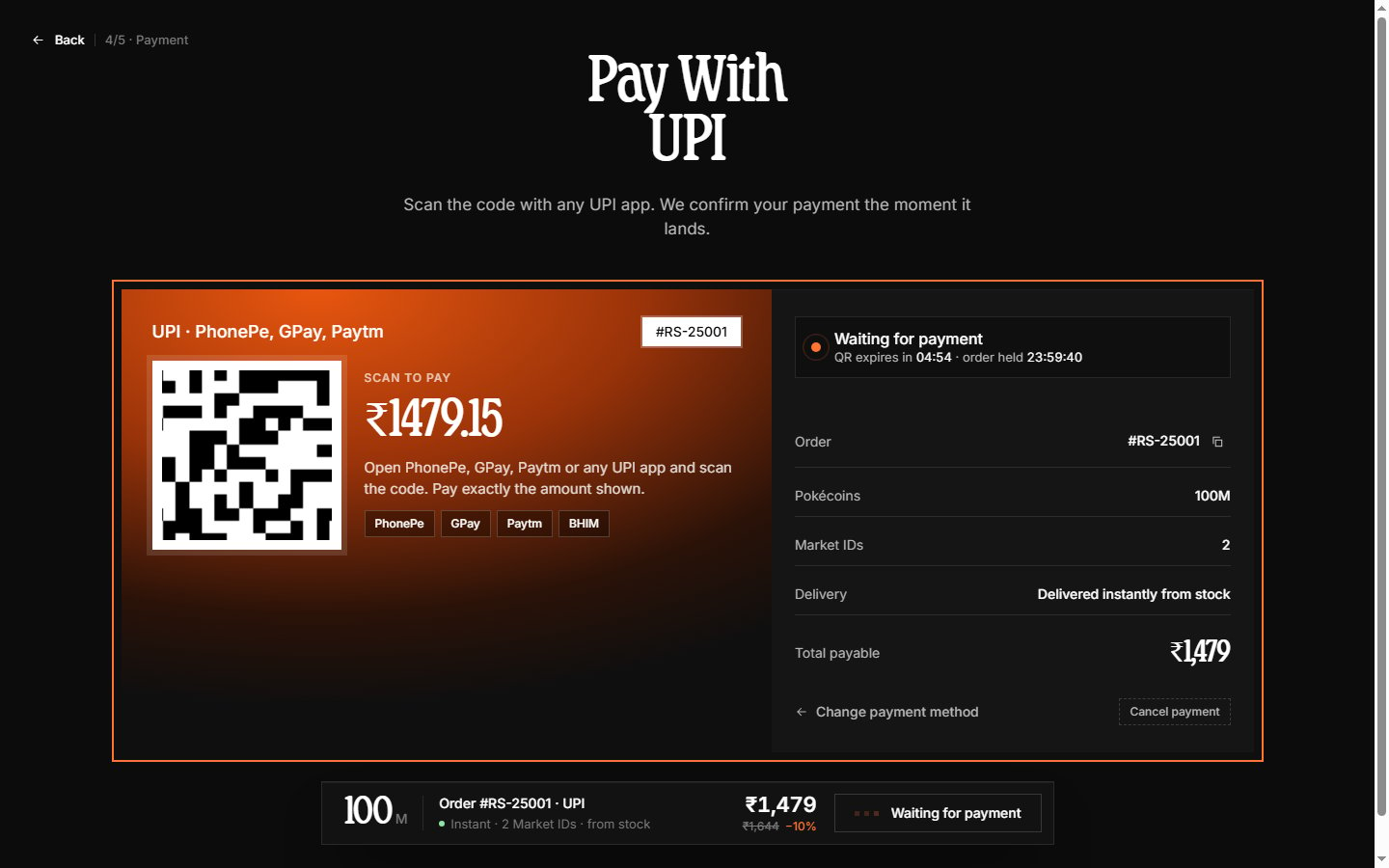
3
Complete payment in your UPI app
- Open your UPI app
- Select the scan or QR code option
- Scan the QR code displayed on the payment page
- Verify the amount and recipient
- Enter your UPI PIN to authorize
4
Wait for confirmation
The payment page checks for your payment every few seconds and detects it automatically — typically within seconds of your UPI app confirming.Do not close the payment page until confirmation appears. If you need to switch methods, use Cancel payment to release the order back to the method step.
5
View order confirmation
Once payment is confirmed, the page continues to the order confirmation screen showing delivery status.
Payment amount
When paying via UPI, ensure you send the exact amount displayed on the payment page. The amount is in Indian Rupees (INR).Processing time
UPI payments are processed in real-time. Once you authorize the payment in your UPI app, confirmation typically appears on the Radium Store page within seconds. If confirmation takes longer than 2 minutes, the payment may have failed. Check your UPI app transaction history to verify whether the payment was deducted.Troubleshooting
QR code not scanning
QR code not scanning
Ensure your camera has permission to scan QR codes. Try adjusting lighting or distance. If the QR expired, a new one appears on the page automatically.
Payment deducted but order shows pending
Payment deducted but order shows pending
Wait up to 5 minutes for the payment notification to reach our system. If the order still shows pending, contact support on Discord with:
- Your UPI transaction reference number
- Screenshot of the successful payment from your UPI app
- Your Radium Store order number
Refunds
Refunds for UPI payments are returned to the original bank account. Processing typically completes within 3-5 business days, though some refunds may appear faster.Learn about cryptocurrency payments in Crypto.