
When an order becomes a pre-order
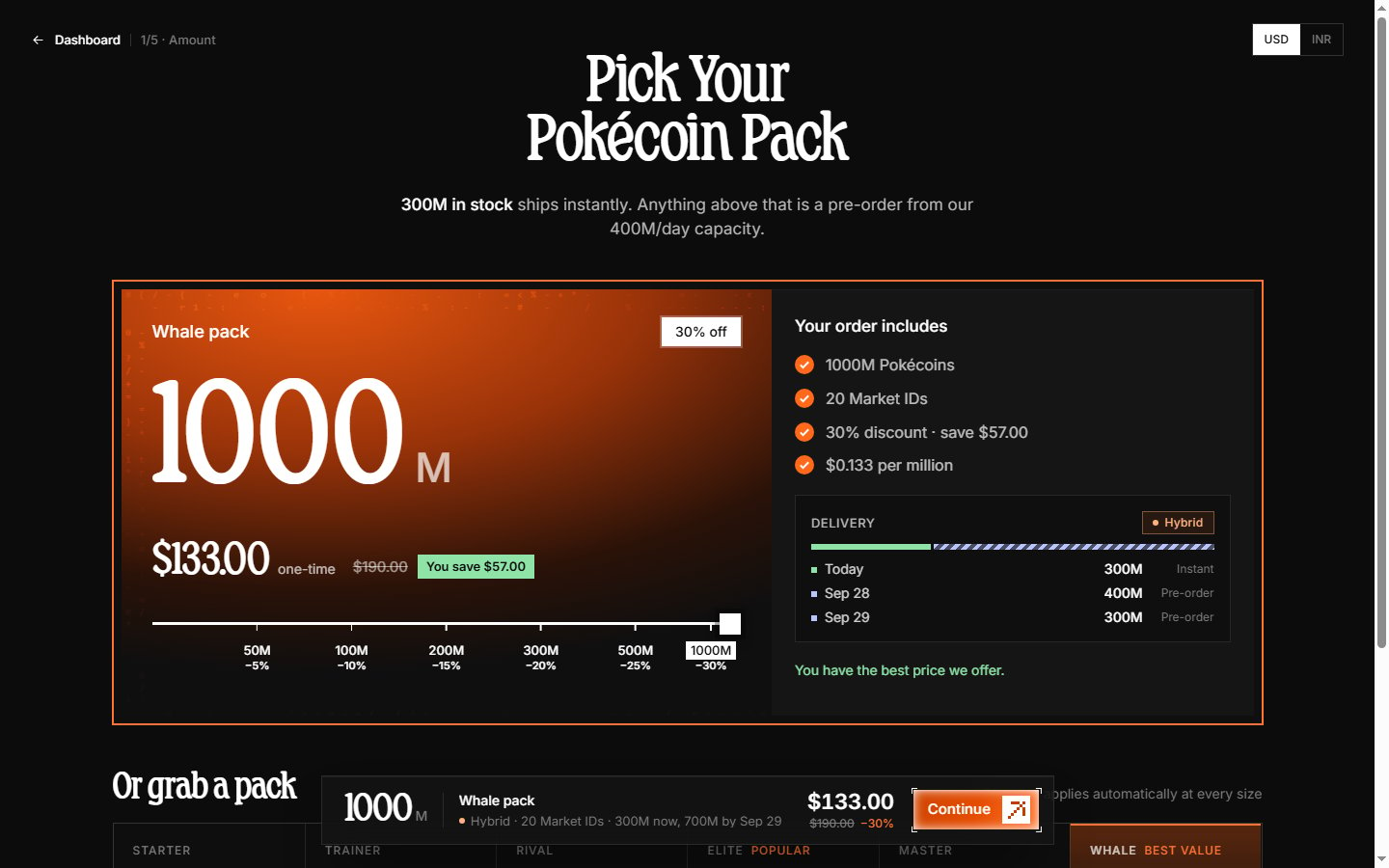
There is no separate pre-order screen — the checkout handles it automatically on step 1 (Amount):- Your quantity exceeds current stock — the part that fits in stock ships instantly, and the rest is scheduled. This is a hybrid order.
- Stock is 0 — the banner reads “Out of stock right now. Every order is a pre-order, delivered from our daily capacity.”
- Pre-orders are closed — occasionally the store pauses pre-orders entirely (“Pre-orders are closed right now”), in which case only in-stock amounts can be ordered.
How the delivery estimate works
As you change the amount, the Delivery panel in the right column updates live:- Instant — “Today XM Instant”: that portion is delivered immediately after payment.
- Pre-order — dated rows like “Sep 28 400M Pre-order”: each day’s batch, up to our daily capacity.
After placing a pre-order
- Complete payment as normal — pre-orders are paid up front like any order.
- Your order enters the delivery queue.
- Track progress on the order details page — it shows “XM of YM delivered” and the next scheduled batch.
- You get an email when delivery completes.
Pricing
Pre-orders use the same per-million price and pack discounts as instant orders — you keep the discount even though delivery is scheduled.See How to order for the full ordering process.