
Statuses you will see
Normal progression
A successful instant order follows this path:Status descriptions
Awaiting payment
The order exists but no payment has arrived. It is held for 24 hours — resume it from Incomplete orders on the Overview or by clicking it in Orders. After 24 hours it expires automatically.Payment received
Payment confirmed; the delivery pipeline is being prepared. Instant orders move on in seconds.Processing
Your order is being fulfilled. For instant orders this is brief; for pre-orders it lasts until your queued batches complete.Partially delivered
Part of your order has been delivered — typical for hybrid orders and pre-orders fulfilled in daily batches. The order page shows “XM of YM delivered” plus the next batch date.Delayed
Delivery has been delayed. The activity timeline shows the new expected date, and you get an email notification.Delivered / Completed
All Pokécoins have been delivered to your market listings. The order is done.Failed / Cancelled
The order could not be completed, or an unpaid order was cancelled/expired. Check the activity timeline for the reason and contact support on Discord if you need help — a failed payment never means lost money.Tracking timeline
Every order has an activity timeline on its details page with timestamped updates:- Order placed — the order was created
- Processing — fulfilment started
- Partially delivered — shows “XM delivered (YM total)”
- Delayed — shows the new expected date
- Delivered — the order finished
- Failed — the order could not complete
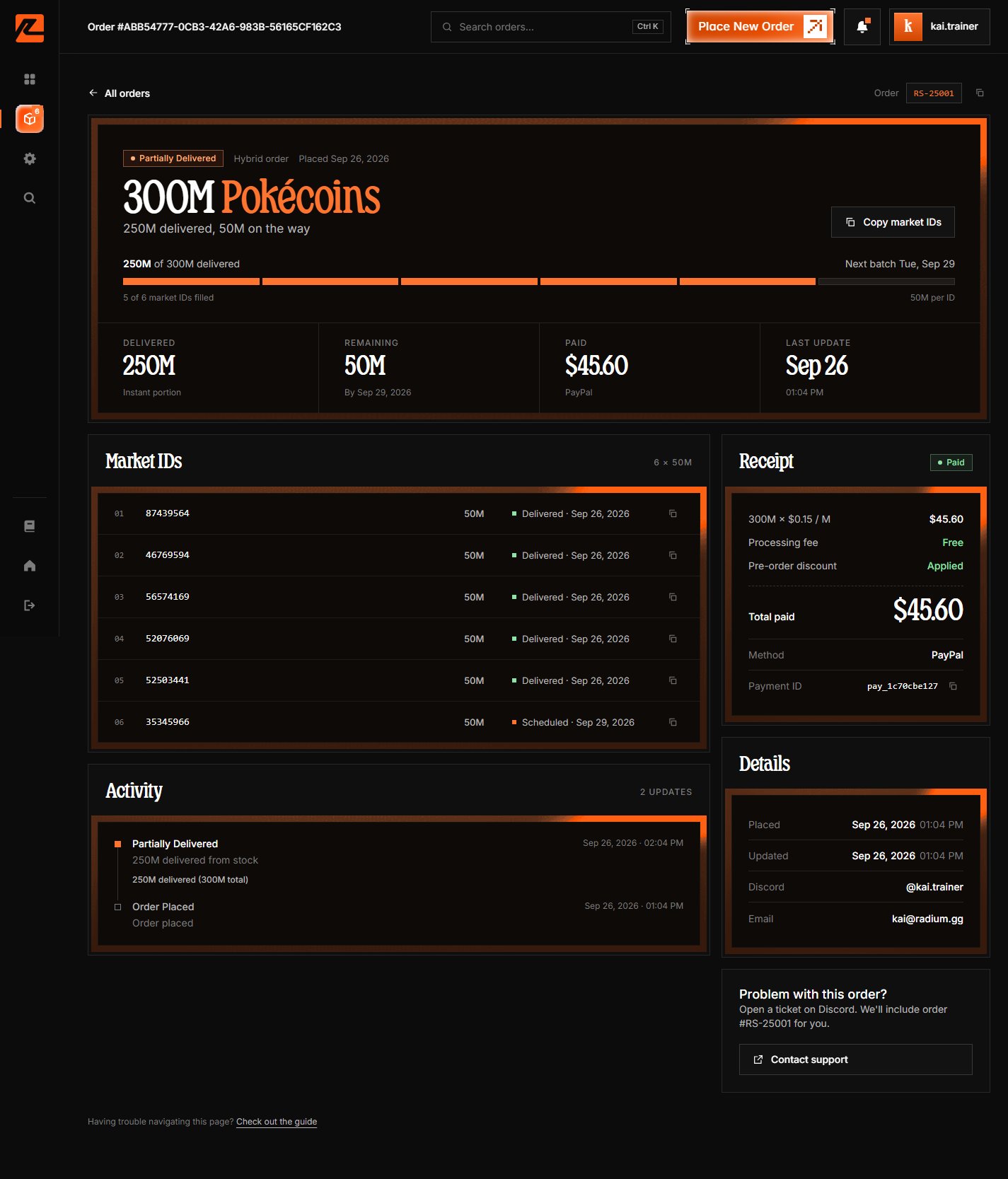
Return to View your order to learn about the order details page.