> ## Documentation Index
> Fetch the complete documentation index at: https://docs.radiumstore.org/llms.txt
> Use this file to discover all available pages before exploring further.
# Settings
> View your account information and manage email preferences
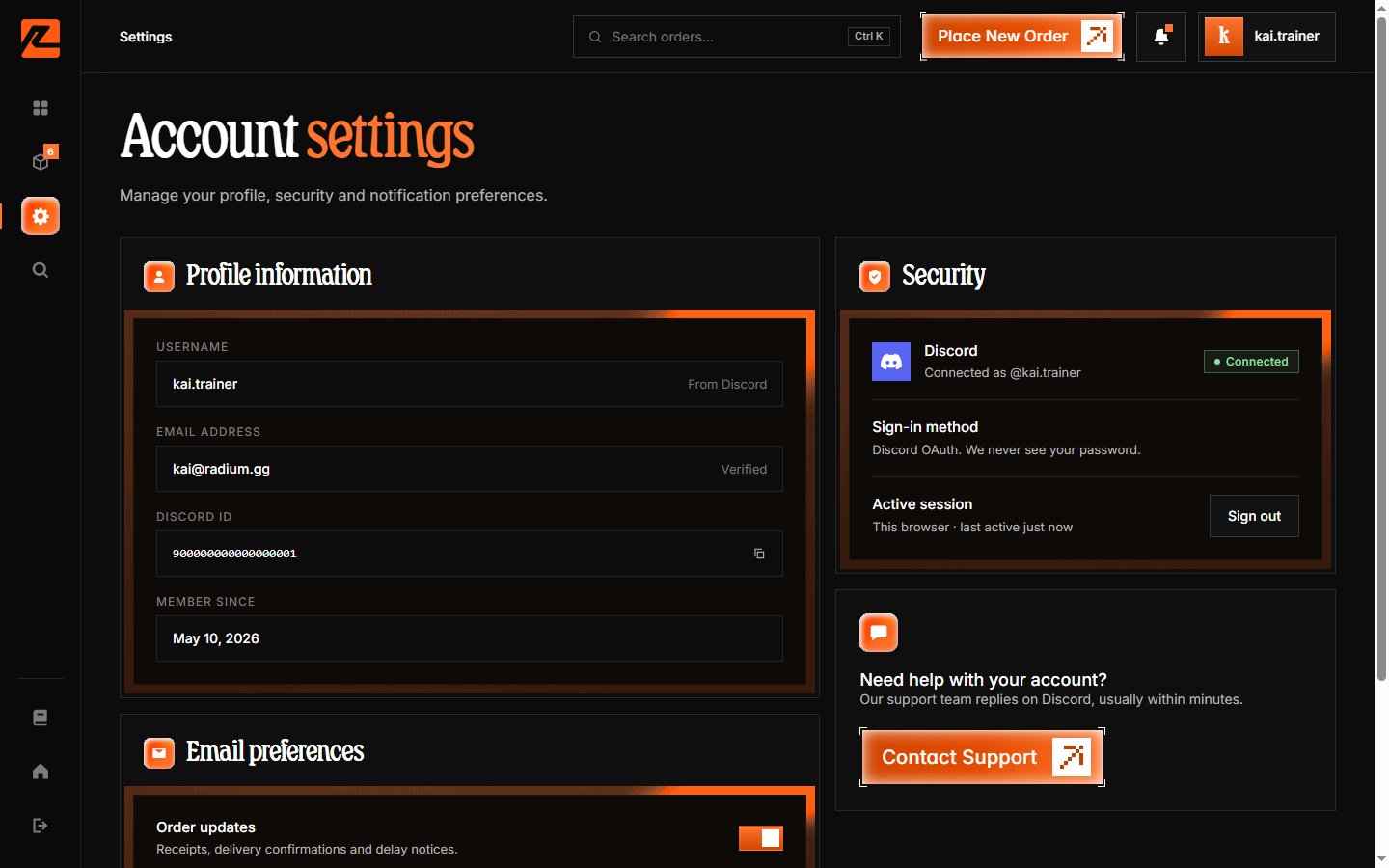
The Settings page shows your account details, email preferences, security status, and a direct line to support.
## Accessing settings
Navigate to **Settings** in the side rail (or the bottom tab bar on mobile).
 ***
## Profile information
The first card shows the details that come from your Discord account:
* **Username** — your Discord username, labelled "From Discord".
* **Email** — the email on your Discord account, used for order confirmations.
* **Discord ID** — your numeric Discord ID, with a copy button (useful when contacting support).
* **Member since** — when your Radium Store account was created.
To update your username or email, change it in your Discord account settings. The update is picked up on your next sign-in.
***
## Email preferences
Two toggles control what lands in your inbox:
* **Order updates** — emails about order progress and delivery.
* **Promotions & restocks** — special deals, discount announcements, and restock alerts.
Transactional email about purchases you have already made always arrives regardless — it is essential to your orders.
***
## Security
The security card shows:
* **Discord — Connected**: your sign-in uses Discord OAuth, so we never see your password.
* **Active session** — the session you are currently signed in with, plus a **Sign out** button. Signing out asks for confirmation ("Sign out of Radium Store?") and ends the session; your account and order history are untouched.
***
## Help
The help card links to **Contact Support**, which opens our [Discord server](https://discord.gg/TfKV8Xeh2r) — that is the only support channel. Have your order number ready for faster help.
***
## Profile information
The first card shows the details that come from your Discord account:
* **Username** — your Discord username, labelled "From Discord".
* **Email** — the email on your Discord account, used for order confirmations.
* **Discord ID** — your numeric Discord ID, with a copy button (useful when contacting support).
* **Member since** — when your Radium Store account was created.
To update your username or email, change it in your Discord account settings. The update is picked up on your next sign-in.
***
## Email preferences
Two toggles control what lands in your inbox:
* **Order updates** — emails about order progress and delivery.
* **Promotions & restocks** — special deals, discount announcements, and restock alerts.
Transactional email about purchases you have already made always arrives regardless — it is essential to your orders.
***
## Security
The security card shows:
* **Discord — Connected**: your sign-in uses Discord OAuth, so we never see your password.
* **Active session** — the session you are currently signed in with, plus a **Sign out** button. Signing out asks for confirmation ("Sign out of Radium Store?") and ends the session; your account and order history are untouched.
***
## Help
The help card links to **Contact Support**, which opens our [Discord server](https://discord.gg/TfKV8Xeh2r) — that is the only support channel. Have your order number ready for faster help.